9 tips on how to maintain good postural hygiene at your workstation
By Jennifer Nwankwo · Updated June 2, 2026
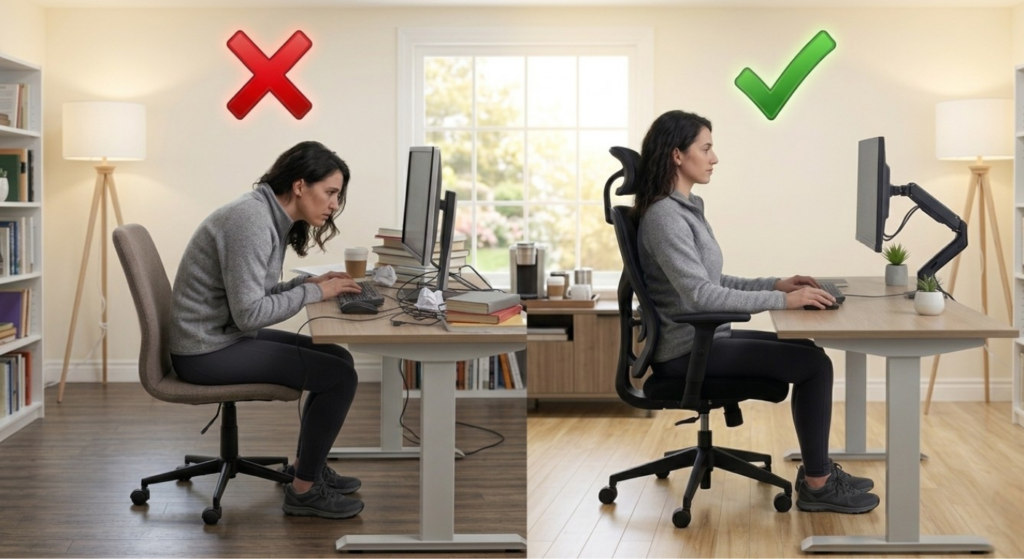
If you spend most of your day at a desk, your body keeps the score. Hours of sitting with rounded shoulders, a craned neck, or an unsupported lower back add up, and the aches you feel at 4 p.m. are often the result of how you were positioned at 9 a.m. At Nuvo Physio, our Montreal women’s health physiotherapists see how everyday postural habits ripple through the whole body, including the lower back and pelvic floor.
The good news is that good postural hygiene is mostly about a handful of simple, repeatable choices. You don’t need a top-of-the-line ergonomic chair or a standing desk to feel better, you need a setup that supports your natural alignment and a habit of moving regularly. Here are nine practical tips to maintain good posture at your workstation, with the reasoning behind each one.
Why workstation posture matters more than you think
Posture isn’t about sitting rigidly upright like a soldier. It’s about finding a relaxed, supported position that lets your joints and muscles share the load evenly, then changing that position often. When you slump or hold a fixed awkward posture for hours, certain muscles work overtime while others switch off entirely. Over weeks and months, that imbalance can show up as neck tension, headaches, mid-back stiffness, and lower back pain.
It also reaches deeper than you might expect. The way you sit influences the position of your pelvis and the pressure travelling down through your core. Slouching repeatedly increases load on the lumbar spine and can contribute to bladder control and pelvic floor concerns over time. If you already live with lower back pain or pelvic floor dysfunction, your desk setup is one of the most modifiable parts of your day.
Tip 1: Support your lower back with a lumbar roll
Place a lumbar roll, a small rolled towel, or a dedicated cushion behind your lower back. The natural inward curve of your lumbar spine (the lordosis) is what keeps the load distributed safely through your vertebrae and discs. When you sit without support, that curve flattens and your spine slowly collapses into a C-shape, concentrating stress on the discs and the soft tissues around them.
A lumbar roll gently fills the gap between your lower back and the chair, cueing your spine to maintain its curve without you having to consciously hold it. Position it at belt height, not up between your shoulder blades, and adjust the thickness until sitting tall feels effortless rather than forced.
Tip 2: Get up at least once every hour
No posture is the perfect posture if you hold it too long. The single most protective thing you can do for your body is to move regularly. Stand up from your desk at least once every hour, even for sixty seconds, to walk to the kitchen, refill your water, or simply stretch.
Movement pumps fresh blood and fluid into your discs, resets the muscles that have been holding you in place, and gives your joints a break from sustained loading. Set a recurring reminder if you tend to lose track of time. Think of it as the rule that makes all the other tips work: the best position is your next position.
Tip 3: Keep your feet flat on the ground
Your feet are the foundation of a seated posture. Keep them in full contact with the floor, planted and stable, rather than tucked under your chair, crossed, or dangling. Flat feet give your pelvis a stable base and help distribute your weight evenly through both sit bones.
If your chair is too tall and your feet don’t comfortably reach the floor, use a footrest or a sturdy box. Letting your feet hang shifts pressure forward onto your thighs, cuts off circulation, and quietly encourages you to slide and slump.
Tip 4: Bend your hips to about 90 degrees
When you’re seated at your workstation, aim for roughly a 90-degree angle at your hips, with your thighs parallel to the floor or angled very slightly downward. This open hip angle keeps your pelvis in a neutral position and makes it far easier to maintain that healthy lumbar curve from Tip 1.
If your hips are bent too sharply, your pelvis tends to tip backward and your lower back rounds. Adjust your seat height so this 90-degree relationship comes naturally, and let your chair do the work of holding you there.
Tip 5: Set your desk just beneath your forearms
With your elbows bent to about 90 degrees and your shoulders relaxed, the surface of your desk should sit just beneath your forearms. This keeps your arms supported and your shoulders down and easy, rather than hiked up toward your ears.
A desk that’s too high forces your shoulders to shrug, building tension across the neck and upper traps. A desk that’s too low pulls you into a hunch. When the height is right, your forearms can rest lightly and your wrists stay neutral, which also protects against the wrist and hand strain that so many desk workers and new parents experience. For more on that, see our guide to navigating hand pain.
Tip 6: Keep your screen at eye level
Your head should not tilt down more than about 10 degrees to look at your screen or the objects on your desk. The human head weighs roughly five kilograms, and every degree it drops forward dramatically multiplies the load your neck muscles must hold.
Raise your monitor so the top third of the screen sits at or just below eye level, using a stand or a stack of books if needed. If you work on a laptop, consider an external keyboard and a riser so the screen can come up without your hands going up with it. Your neck will thank you by the end of the week.
Tip 7: Use a chair that swivels and adjusts
A swivel chair lets you turn toward your work instead of twisting your spine to reach it. Reaching and rotating repeatedly while seated places uneven loads on the discs and the small joints of the spine. With a chair that pivots smoothly, you move your whole body as one unit.
Beyond swivelling, look for a chair you can actually adjust: seat height, backrest angle, and ideally lumbar support. A chair that fits you is the backbone of every other tip on this list.
Tip 8: Stack your shoulders over your hips
When sitting, your shoulders should remain roughly in line with your hips and knees rather than drifting forward. Picture a vertical line running from your ear down through your shoulder to your hip. When that stack holds, your spine supports itself with very little muscular effort.
The moment your shoulders creep forward, your upper back rounds and your head follows, and the whole chain starts to strain. A quick self-check several times a day, gently drawing your shoulders back and down over your hips, helps reset the pattern before fatigue sets in.
Tip 9: Keep your head in line with your trunk
Finally, when you look at your screen, keep your head balanced in line with the trunk of your body rather than poking forward. “Forward head posture” is one of the most common patterns we see, and it travels with screen time. A head that sits centered over the spine lets the deep neck muscles work efficiently and keeps the joints happy.
This tip ties the others together. If your screen is at eye level, your back is supported, and your shoulders are stacked, your head naturally falls into a balanced position without you forcing it.
Posture, pregnancy, and pelvic health
Workstation ergonomics matter for everyone, but they become especially important during pregnancy and the postpartum year. A growing belly shifts your centre of gravity, hormonal changes loosen ligaments, and long hours of sitting can aggravate the lower back and pelvic ring. Thoughtful desk setup is a simple, daily way to ease that load and complements hands-on care for issues like pregnancy pelvic girdle pain.
If aches persist despite a well-adjusted workstation, or if you notice symptoms in your back, hips, or pelvic floor, posture tweaks alone may not be enough. A personalized assessment can pinpoint what’s driving the discomfort. You’re always welcome to reach out to our team to talk it through.
Frequently asked questions
Is there one single “correct” posture I should hold all day?
No. The healthiest posture is a supported, relaxed one that you change often. Even a textbook-perfect position becomes tiring if you hold it for hours. Focus on a good setup, then move regularly, your next position is always the best one.
Do I need an expensive ergonomic chair to sit well?
Not necessarily. A rolled towel for lumbar support, a footrest, and a monitor raised to eye level can transform an ordinary chair. What matters most is that your setup supports a neutral spine and lets you adjust it to your body.
How often should I really get up from my desk?
Aim for at least once every hour. A short break to stand, walk, or stretch refreshes your discs and resets fatigued muscles. Frequent micro-breaks protect you far more than one long stretch session at the end of the day.
Can poor sitting posture affect my pelvic floor?
Yes. Repeated slouching changes pelvic position and the pressure travelling through your core, which over time can contribute to lower back and pelvic floor symptoms. If you have concerns, a pelvic health physiotherapist can assess how your posture and core are working together.
When should I see a physiotherapist about desk-related pain?
If pain lingers after you’ve improved your setup, gets worse through the day, or starts limiting your activities, it’s worth an assessment. We can identify the root cause and give you a plan tailored to your body and your workday.
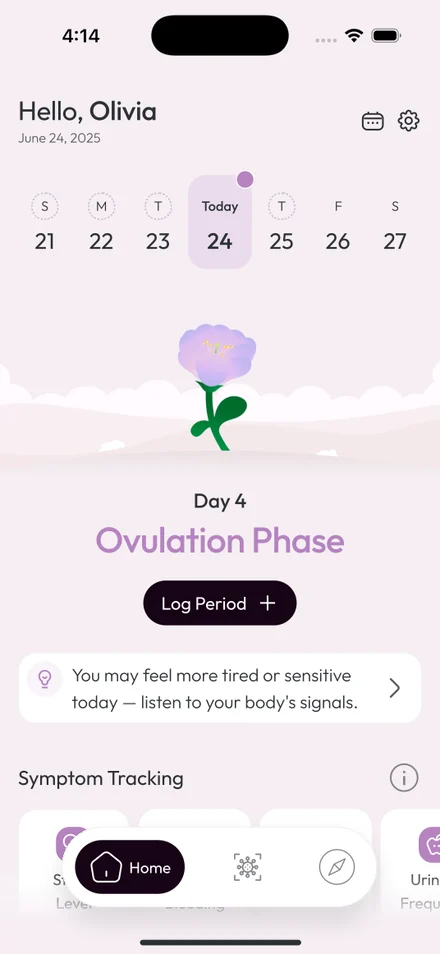
Your care doesn’t stop at the clinic door.
Nuvo Physio runs on Elle Santé — the women’s health platform we built right here. Your plan, your progress and your care team stay with you between visits, not just in the room.
Early access · iPhone and Android